What Is Oracle Primavera Unifier? — A Story That Starts with One Design Change on Monday Morning
Monday 09:00, on site. A single design change drops. The steel quantity changed. How much does cost rise, how does it hit the schedule, who approves it? This one item passes through five departments.
The familiar scene: the field tallies the cost impact in Excel, emails it to head office, confirms by phone. Three days later, "whose turn is it now?" is still invisible. Changes pile up while the cost sheet only reconciles at month-end. It's a settle-after-the-fact structure.
Oracle Primavera Unifier changes this scene. In one line — it lets you control a capital project's cost, contracts, changes and processes in one place, while work is in progress. Before seeing what it ties together, let's start with why this control is needed.
Why "Project Controls" — Where Capital Projects Leak
Capital projects like construction, plant and infrastructure are large, contract- and change-heavy, with many parties moving at once. That makes cost and schedule easy to leak. This isn't one company's problem but a structural pattern observed repeatedly across the industry.
Industry research reports it consistently. Oxford's Bent Flyvbjerg called large projects' tendency to run "over budget, over time, over and over" the "iron law of megaprojects." The McKinsey Global Institute's Reinventing Construction (2017) points the same way — large construction projects tend to take about 20% longer than planned and run up to 80% over budget. (These are research estimates that vary widely by project type and region — not DT Solution's measured figures.)
The cause isn't singular, but one common thread is often named: information is scattered. Cost lives in Excel, schedule in the planning tool, contracts in a cabinet, approvals in an inbox. A single change touches all of these at once, yet nothing is combined — so loss shows up not "in progress" but "after the accident." Project controls — the idea of controlling cost, schedule, change and contract in one system — targets exactly this leak. That's where Unifier stands.
So let's see what Unifier actually ties together.
How One Change Travels Through the System
Back to that steel change. In Unifier this one item starts as a single "change Business Process (BP)". Open the form, enter the change, and the impact amount is calculated automatically from the linked cost code, then flows electronically along the defined approval path.
The difference isn't in the outcome but in timing. The same single change splits like this by tool.
So, What Unifier Handles — Module by Module
Follow one change and Unifier's scope reveals itself. Rather than a one-liner, let's look module by module. One premise: these areas aren't separate modules — they sit on a single data model.
① Cost Management — Cost Sheet · Cash Flow · EVM
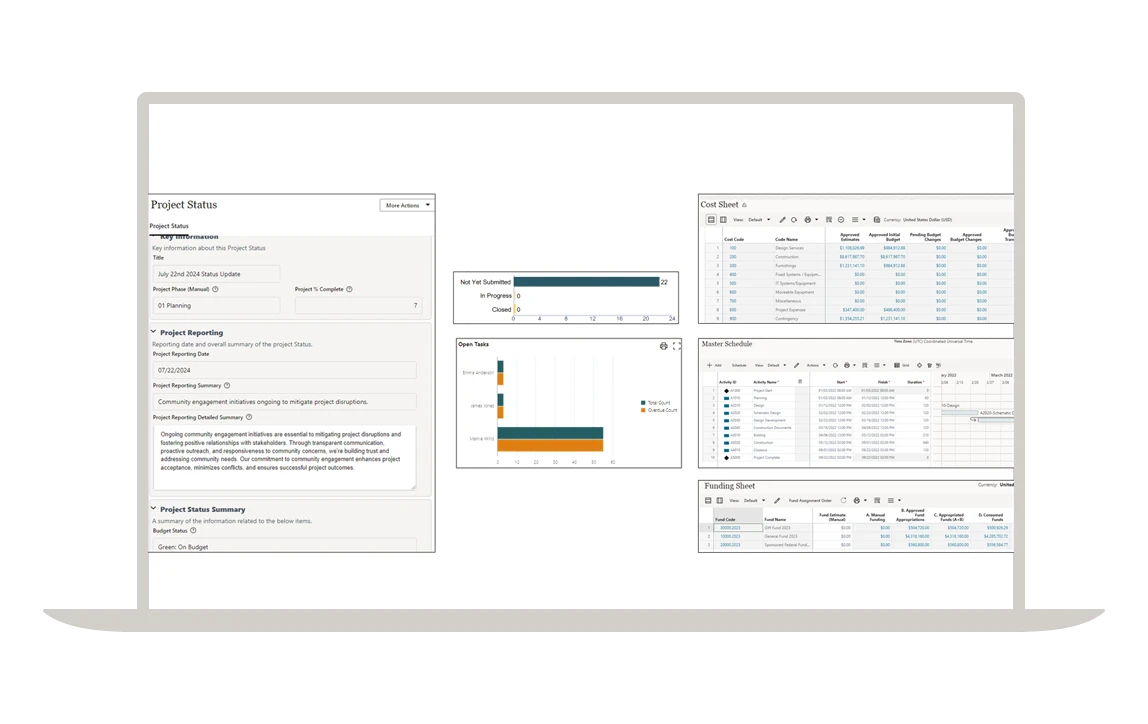
At the center of Unifier's cost management is the Cost Sheet. Rows are the cost breakdown structure (cost codes / CBS); columns are items like Budget, Commitment, Actuals and Forecast. Every transaction — POs, contracts, changes, progress billing — posts to its cost code and fills the sheet's cells automatically. The cost sheet isn't a table reconciled by hand at month-end but a living ledger that moves as transactions accumulate.
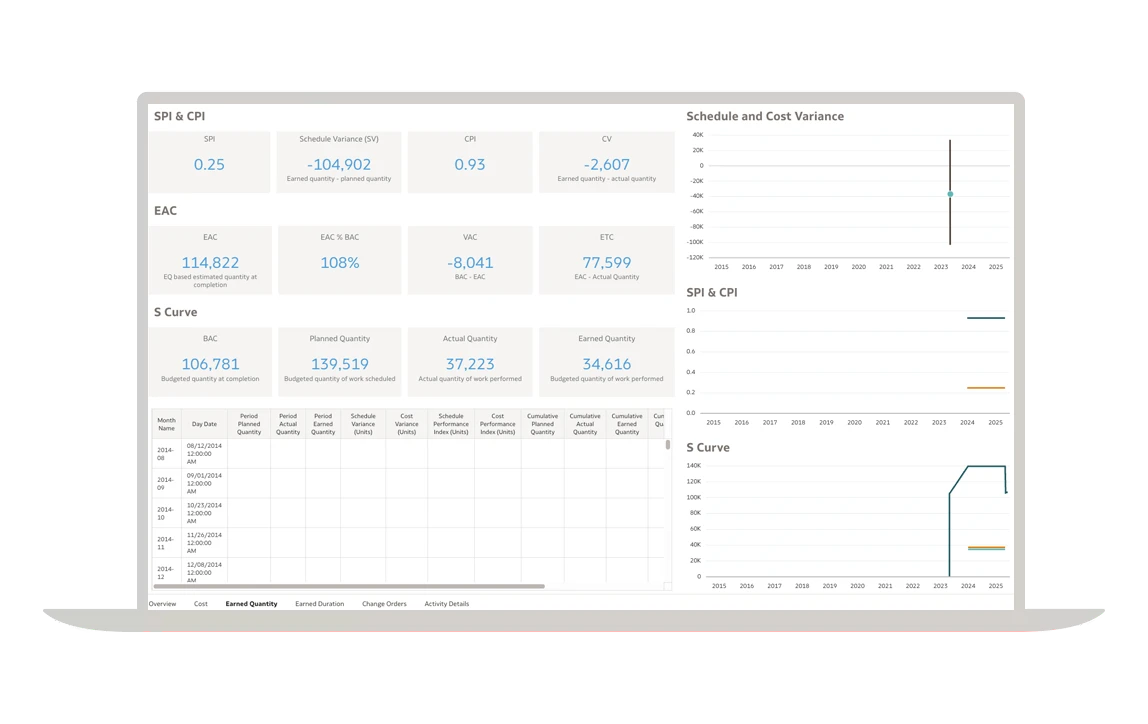
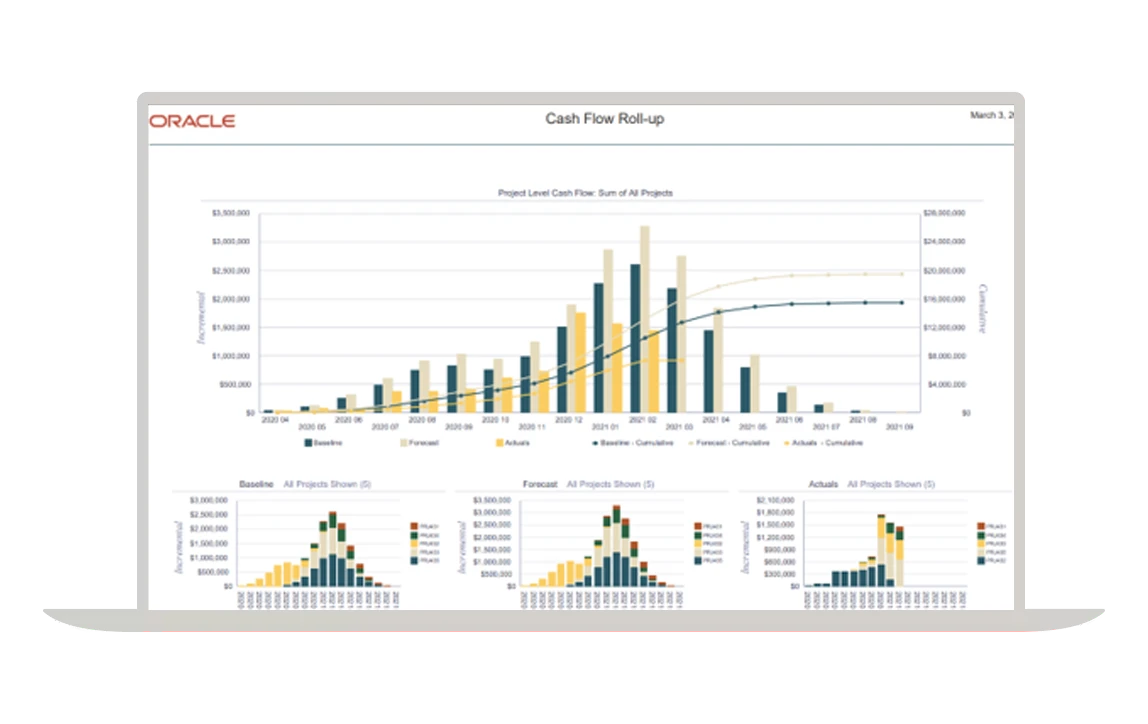
Two things add to it. Cash Flow distributes budget, commitment and actuals across the schedule curve to forecast funding needs and recovery by period. EVM (Earned Value Management) derives the schedule (SPI) and cost (CPI) performance indices from planned value (PV), earned value (EV) and actual cost (AC), letting you gauge "where this ends up if it continues (EAC)" mid-project — seeing loss in the middle, not at the end.
② Contract & Commitment Management
Manage prime contracts, subcontracts and the commitments tied to them electronically. Contract amounts and items flow straight into the cost sheet's commitment column, while progress billing and payment accumulate as actuals. A contract change updates the contract balance and commitment via a change BP. "How much is left on this contract, when and how much is the next billing" gets answered in one place.
③ Change Management — Change Order
Control design, quantity and contract changes (Change Orders) through a standard procedure. Like the steel change above, one change starts as a single form and rides the flow of auto impact calculation → approval → cost update. The key: every change is linked to cost immediately and the full history is tracked. "How much did this change eat into the budget, who approved it and when" remains on record, dispute-free.
④ Process Automation — uDesigner
The engine behind all of the above is uDesigner. It lets you design each organization's different forms, approval paths and approval rules without code (no-code). More on this below.
⑤ Document Management
Manage drawings, submittals and contract documents centrally with versions and permissions. Documents can be attached to business processes (change, billing, review) and flow with them, so "which decision was made on which drawing" never breaks. Large-scale document collaboration is handled more deeply by the sister solution Aconex, while Unifier binds the documents needed in a cost/process context.
⑥ Capital Planning · Portfolio
Beyond a single project, owners manage capital planning, prioritization and budget allocation across many projects as one portfolio. Each project's cost and schedule roll up into a portfolio dashboard, so "which projects get how much capital" is decided on data.
⑦ Asset · Facilities Management
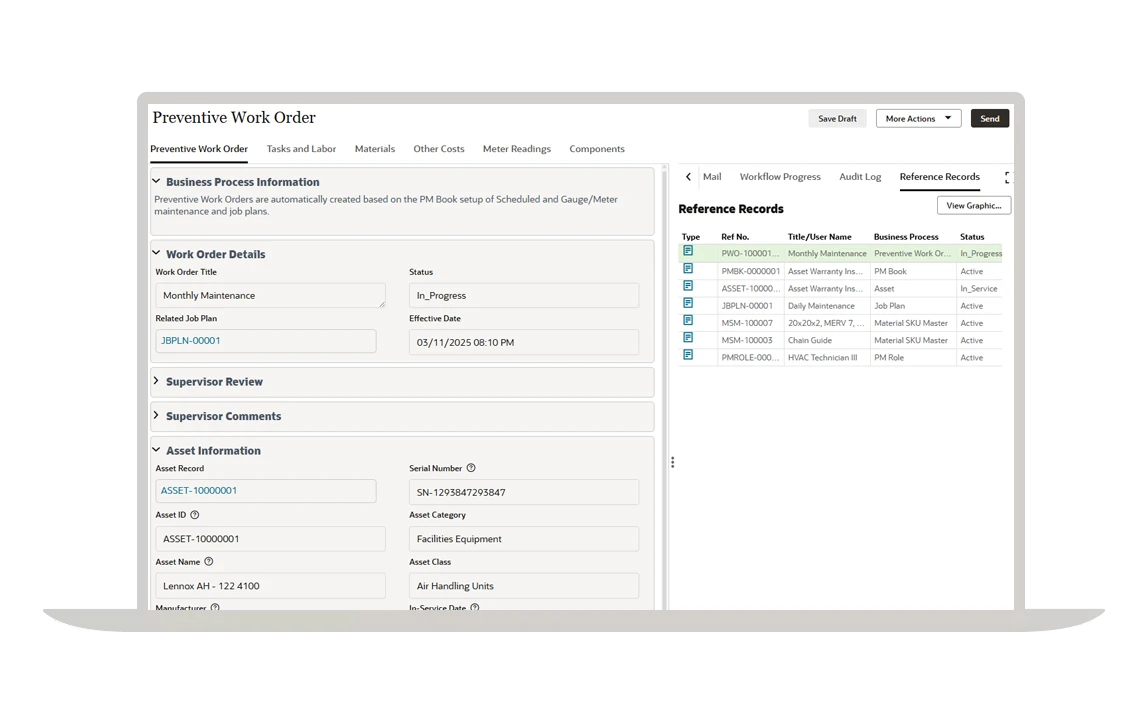
A project ending isn't the end. Completed facilities and equipment move into operations and maintenance. Unifier extends into Facilities & Asset Management — asset registration, inspection, maintenance requests and space management on the same platform — connecting an asset's full lifecycle from construction (CapEx) to operations (OpEx) on one set of data.
The power of all these modules comes from the connection. A change touches a contract, the contract moves cost, and cost surfaces in cash flow and the dashboard — that chain never breaks.
One Layer Deeper into uDesigner — Designing How You Work, No-Code
If you had to name Unifier's real differentiator, it's uDesigner. Most packaged systems demand "bend your organization to fixed screens and procedures." Unifier goes the other way — it lets you draw your way of working into the system.
The unit is the Business Process (BP). One BP is a work form plus the procedure it flows through. In uDesigner you design the following without coding.
- Form — which fields to capture (text, amount, date, dropdown, attachment), which are required, how to lay them out.
- Workflow — the steps and branches from request → review → approval → posting, with owner, permission and deadline at each step.
- Cost linkage — mapping which cost-sheet column (budget, commitment, actuals, change) this BP moves.
- Business rules — approval-path branches by amount band, auto-calculations, state-transition conditions.
The effect runs both ways. You can implement each organization's idiosyncratic approval paths and forms without bending them to the package, or conversely transplant a new standard process. Procedures people used to run from memory now flow automatically on the system. This is where uDesigner makes Unifier a "project operating system," not just a "cost ledger."
How Is It Different from P6?
Same Primavera, different roles. P6 owns "when" (schedule, sequencing); Unifier owns "at what cost, by what procedure" (cost, contract, process). Not a replacement — two axes.
Link the two and P6's progress flows into Unifier's billing and earned value (EV). Instead of viewing schedule slip (SPI) and cost overrun (CPI) separately, you see them in one model. The chronic problem of large EPC discovering loss only at the end can shift to early warning through this integration — because progress is converted into cost. That effect, though, only materializes when data is entered on time.
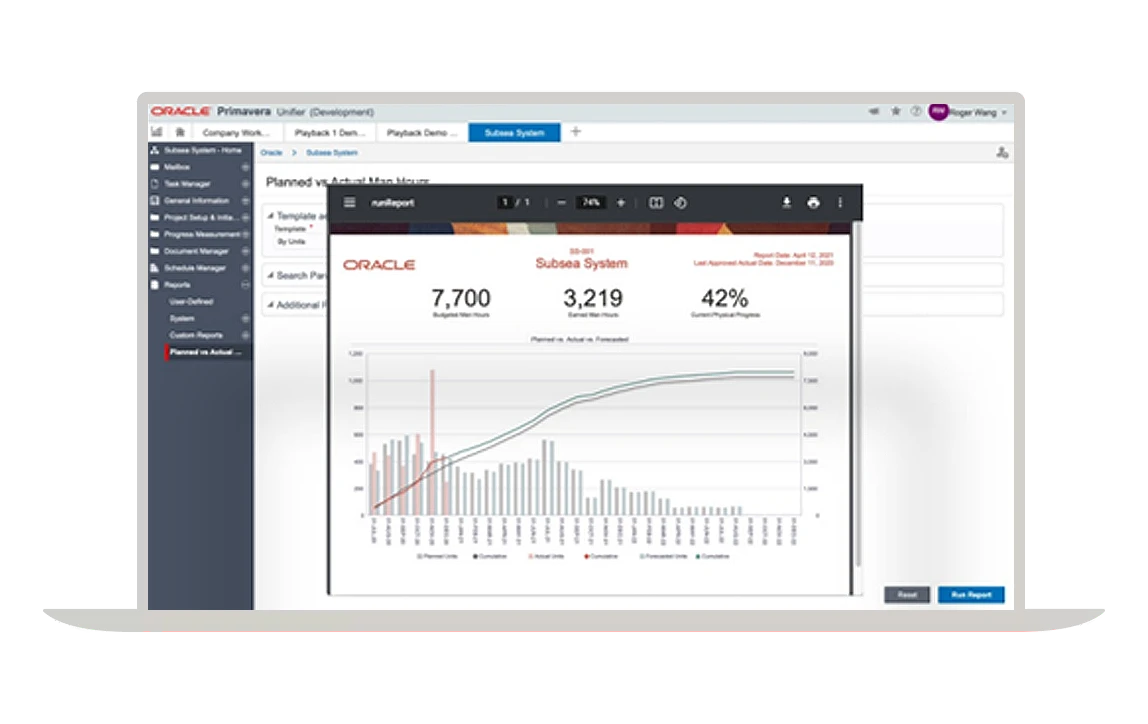
The Integrated-PMIS Picture — P6 · Aconex · Unifier
Unifier can be used alone, but its value shows when bound within the Primavera ecosystem. Three axes.
- Primavera P6 — schedule. Sequencing, resources and critical path (CPM) answer "when will it finish."
- Oracle Aconex — documents & collaboration. Owners, EPCs and subcontractors exchange drawings, submittals, correspondence and reviews in one place, with a record of who saw what and when.
- Primavera Unifier — cost, contract, process. Controls "at what cost, by what procedure," weaving the schedule and documents from the other two into cost context.
Bind the three axes and schedule × cost × documents finally become one integrated PMIS. When schedule slips, you see cost wobble, with the supporting decision documents attached. That's the difference between running three scattered systems and one connected one.
How to Adopt It — Methodology and Considerations
Installing the tool doesn't make things better on its own. Unifier's success hinges on data and process design more than the product. The practical steps are roughly these.
Design the Cost Breakdown Structure (CBS)
First build the cost breakdown structure all cost flows will post to. Too granular and input burden grows; too coarse and analysis breaks. Aligning it with WBS (schedule) and contract structure at this stage makes the P6 link smooth.
Establish Standard Processes (BP)
Define core work — change, billing, purchase requests, review — as standard BPs. Decide by maturity whether to carry over current approval paths as-is or standardize them now, and implement in uDesigner.
Data Migration
For an in-flight project, existing budget, contracts and actuals must be migrated. The crux is choosing the baseline point and how far back to carry history.
Phased Rollout
Rather than switching on the whole enterprise and all modules at once, it's safer to start with a pilot and core modules, validate, then expand. Embed high-impact areas like cost and change management first, then widen to portfolio and assets.
Change Management
The most often overlooked step. To get a field used to Excel and email working on the system, you need training, manuals and early operating support. It's the people, not the system, that must change for results to come.
When it's truly embedded, the change is clear. Scattered cost, contracts and approvals gather into a single source of truth, approvals become electronic and standardized, and change and cost are visible in real time, not at month-end. Every action leaves an audit trail, so "who approved what and when" stays on record, dispute-free. Both cloud and on-premises are supported, so you can choose the deployment model.
DT Solution supplies and implements Oracle Primavera Unifier, customizes client forms and approval paths with uDesigner, and continues into operational support after build. With experience integrating cost, contract and process on construction, plant and heavy-industry sites — Samsung Heavy Industries' high-tech integrated PMIS, LG Chem and more — we design cost codes, contract procedures and approval paths to your scale and maturity, and bind P6 (schedule) and Aconex (document collaboration) to make schedule × cost × documents one. If you're considering adoption, talk to us.
· Oracle — Primavera Unifier (cost & process management)
· Oracle — Primavera P6 (scheduling)
· Oracle — Aconex (project documents & collaboration)
· McKinsey Global Institute — Reinventing Construction (2017)
· PMI — Earned Value Management
· Bent Flyvbjerg — overview of the 'iron law of megaprojects'